

I've had a customer complaining today that he has some text formatting issues when copying and pasting content that he wrote with Ms Word into his Movable Type v4.21 driven Web site.
The client was wondering if he is doing something wrong, as some other posts already published on his Web site were looking impeccable.
My dears, the problem is well known with a very large range of blogging tools and content management systems (CMS).
The work around this trouble is to Save the document As "Web Page, Filtered (*.htm, *.html)".
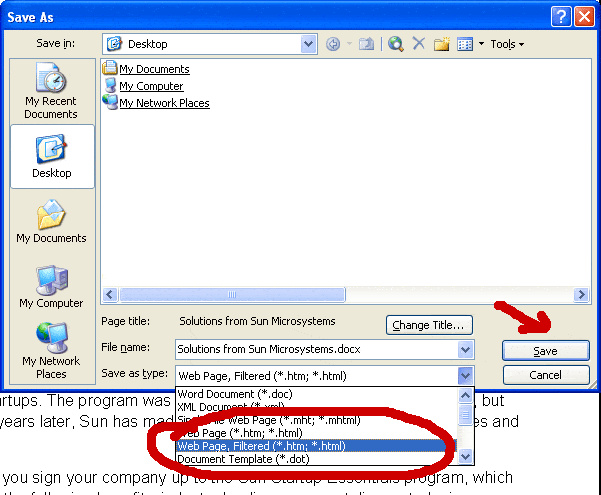
After choosing the new format, Ms Word will alert you that if you go ahead with the 'Save As' command you've just ordered will remove 'Office-specific' tags. Since this is actually the goal with going through this 'Save As' procedure, you should click 'Yes' on that alert window.
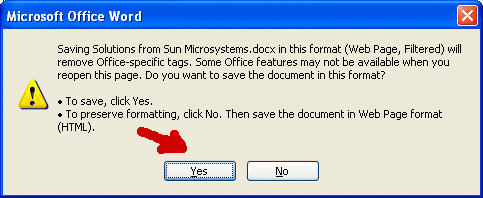
At this stage you can safely copy and paste content from this new format document into your publishing platform, Movable Type or not.
This will solve your text formatting problem after trying to copy and paste content from a document wrote in Ms Word.
Posted by Mihai Bocsaru on October 17, 2008
Permalink | Comments (0)